Register the HDP 2.2.4.2 Version
Log in to Ambari.
Browse to
Admin > Stack and Versions.Click on the
Versionstab. You will see the version current running HDP-2.2.0.0-2041.Click
Manage Versions.Proceed to register a new version by clicking
+ Register Version.Enter a two-digit version number. For example, enter 4.2(which makes the version name HDP-2.2.4.2).
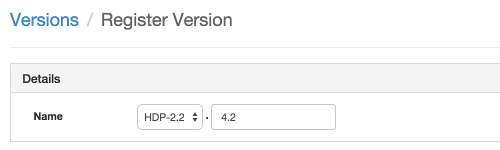
Select one or more OS families and enter the repository Base URLs for that OS.
Click
Save.Click
Go to Dashboardand browse back toAdmin > Stack and Versions > Versions. You will see the current running version HDP-2.2.0.0-2041 and the version you just registered HDP-2.2.4.2. Proceed to Install a New Version on All Hosts.